
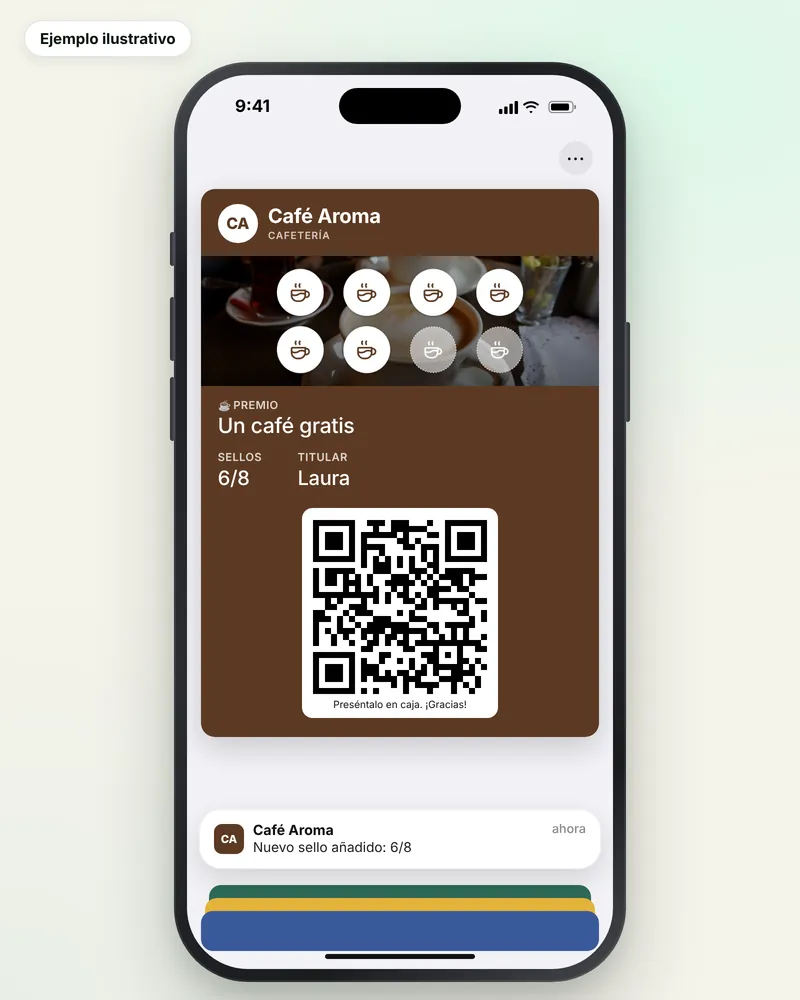
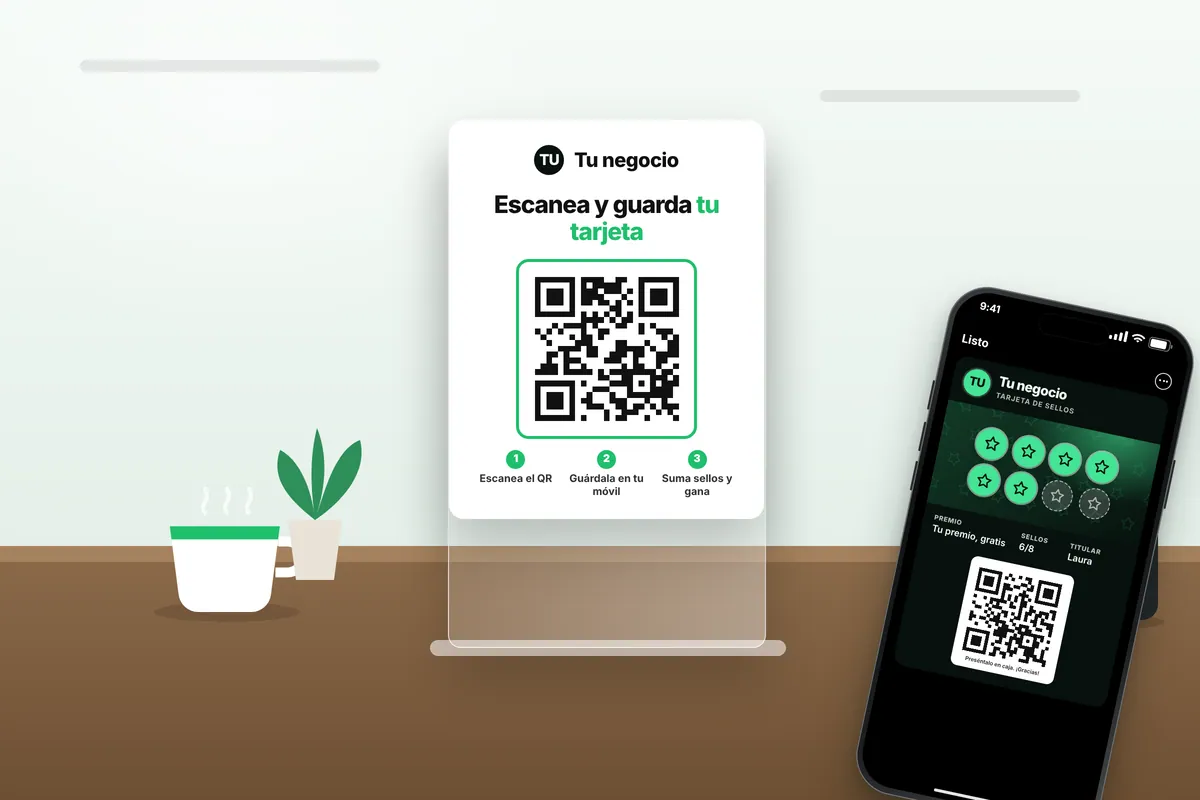
An example: a (made-up) café gives out an 8-stamp card with a free coffee as the reward. The customer scans the QR code on the counter, saves the card on their phone and, with every coffee, the waiter scans their card and adds a stamp. Once all 8 stamps are in, they redeem their free coffee and the card starts again.
What is a digital stamp card
It's a loyalty card the customer keeps in their phone's wallet: Apple Wallet on iPhone and Google Wallet on Android. It works just like the paper one (each purchase adds a stamp and when it's full there's a reward), but the stamps are recorded in a system instead of in ink.
There's nothing for the customer to install: they scan a QR code in your venue, tap «Add to Wallet» and the card is saved next to their bank cards and boarding passes.
If the ticket in your business varies a lot from one purchase to another, rewarding spend may suit you better: we explain it in points card or stamp card. And if you sell session packs, both plans also include the prepaid pass card, where customers see how many sessions they have left.
Create your digital stamp card for free, in 3 steps
You can have your online stamp card today, without installing anything and without paying while you try it:
- Design it free, no account needed. In design your card you choose logo, colours, reward and number of stamps, see how it looks in Apple Wallet and Google Wallet and get a test card on your phone.
- Start the 14-day trial. When you sign up you add your bank card, but nothing is charged until the 14 days are over, and there is no commitment.
- Put the QR code on the counter and start stamping. Your customers save the card by scanning it and you stamp from your phone, tablet or computer.
If you would rather we show you first, book a free demo.
How it works, step by step
- Design your card with your business name and logo, and choose the reward and how many stamps it takes. You can see how it looks before you start in design your card.
- Put the QR code on your counter. The customer scans that QR code and saves the card on their phone in a few seconds, with no app or forms.
- At the till, scan the customer's card from the Rondafy dashboard on your phone, tablet or computer, and the stamp appears on their card instantly.
- When the card is full, redeem the reward from the same scanner and the card starts again.
If you work with other people, each of them can have their own login to stamp from their phone. The full walkthrough, with what each person sees, is in how Rondafy works.
What your customer sees on their phone
- On iPhone: the card appears in Apple Wallet, with your logo, your colours and the stamps they've collected.
- On Android: it's saved in Google Wallet, with the same design.
- On the lock screen: if you turn it on, they get notifications like "just 1 stamp to go" or "your reward is ready".
- If you change the design or the reward: it updates on the cards your customers have already saved too, without them having to do anything.
- If they change phones: they save it again by scanning the QR code; stamps aren't lost because they're stored in the system, not on a piece of paper.
The details are in loyalty card in Apple and Google Wallet.
Stamp card app, online or in Wallet: what changes
Not all digital stamp cards work the same way. Today, going by what each tool's website says, there are three approaches:
- In a shopping app, where the customer sees cards from several businesses (Loyapp has a customer app and also lets people sign up from the browser).
- In the phone's browser, with nothing to install (FaveCard's free plan works like this; the Wallet pass is paid).
- In Apple Wallet or Google Wallet, the wallet that already comes with the phone (this is what Rondafy does, as do Loyicard, BonusQR, Passtastic and Vuelvis).
Above all, one thing changes: whether your customer has to download or remember something, or whether the card is already on their phone next to their bank cards. The details for each are in the comparison (in Spanish).
There's no app for your business to install either: the Rondafy dashboard opens in the browser on your phone, tablet or computer, and from there you scan the customer's card to add a stamp. If you're comparing tools, you'll find the criteria to choose in customer loyalty app for small businesses.
Advantages over the paper card
- It doesn't get lost or left at home: it lives on the phone, which the customer always has on them.
- Nobody can add fake stamps: every stamp is recorded when your business scans the card.
- You know who comes back: with the Standard and Pro plans you get stats on repeat visits, peak hours and customers who have stopped coming.
- You can talk to your customers: phone notifications when their reward is ready, on their birthday or when they haven't been in for a while (Standard and Pro plans).
- No more reprinting cards every time you change the design or the reward.
Paper or digital stamp card: a quick comparison
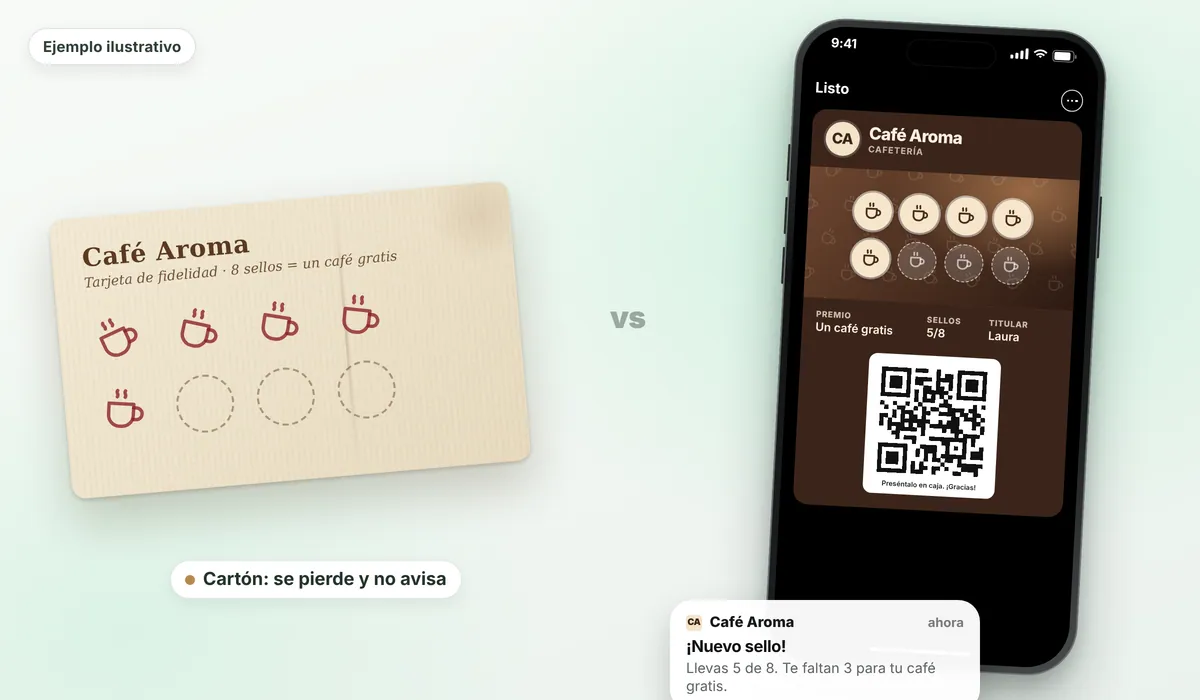
| Paper | Digital in Wallet | |
|---|---|---|
| Where the customer keeps it | In their wallet, unless they lose it or leave it at home | On their phone, next to their bank cards |
| How stamps are added | With an ink stamp or a pen | By scanning their card from your phone, tablet or computer |
| Fake stamps | Easy to copy | Only your business adds them, by scanning |
| Knowing who comes back | No | Yes: customers, visits, repeat rate and redemptions |
| Notify the customer | No | Yes: 1 stamp to go, birthdays, customers who stop coming |
| Changing the design or reward | Reprint the cards | From the dashboard; it reaches cards already saved |
| What you need | A printer and a stamp | Internet at the venue and a QR code on the counter |
| Cost | Printing each batch | A monthly fee (Rondafy: from €24.99/month + VAT) |
For the full comparison, with costs and the cases where paper still makes sense, read paper vs digital loyalty cards.
What you can send your customers
The card doesn't just count stamps: it also lets you talk to whoever has it.
- "Just 1 stamp to go": the most natural nudge to get the customer to fill the card.
- Birthdays: a greeting with a little treat.
- Win-back: a message to anyone who hasn't been in for weeks.
- Manual and group messages: something new, double stamps, new opening hours.
- When they walk past your shop: it depends on each customer's device and settings, so it's an extra, not the foundation.
Notifications are available on the Standard and Pro plans. Rondafy can also ask customers who redeem their reward for a Google review.
What you see in your dashboard
A dashboard with active customers, visits, repeat rate, stamps and redemptions, who's close to their reward and who hasn't been in for a while. Rondafy measures real interactions (scans, stamps and redemptions), and the customer doesn't have to give a name, email or phone number to save the card.
How many stamps and what reward?
It depends on how often your customer comes back and what your product costs. As a rule of thumb, the reward should arrive within a few weeks for frequent-purchase businesses (cafés, bakeries) and within a few months for less frequent services (barbershops, beauty). A rough guide (adapt it to your numbers):
| If your customer comes back... | Usually works | Example |
|---|---|---|
| Almost every day | 8 to 12 stamps | Free coffee after 8 or 10 coffees |
| Once or twice a week | 8 to 10 stamps | A free tapa or ice cream |
| Every three to five weeks | 5 or 6 stamps | A free haircut after 6 cuts |
| With regular appointments | 6 to 8 stamps | A free treatment or nail design |
Always calculate using what the reward costs you, not what you charge for it. We explain it with examples in how many stamps a loyalty card should have, and there are concrete ideas in reward ideas by type of business.
Digital stamp card examples by sector
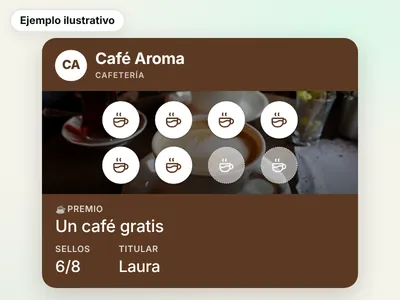
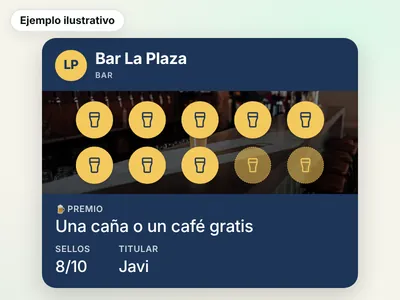
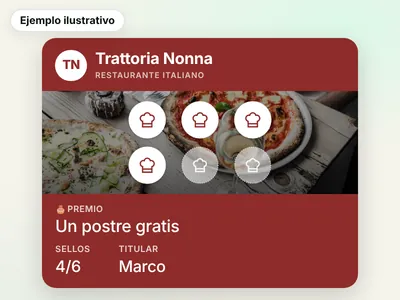
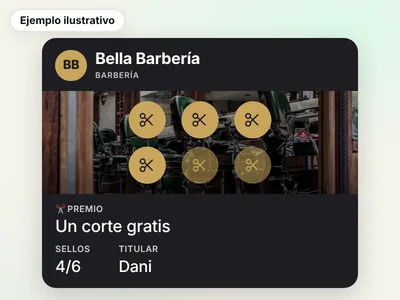
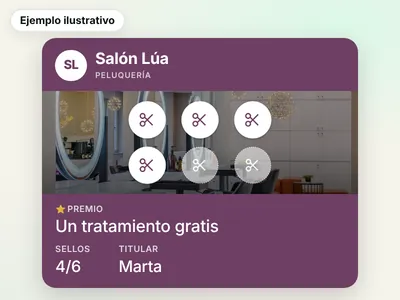
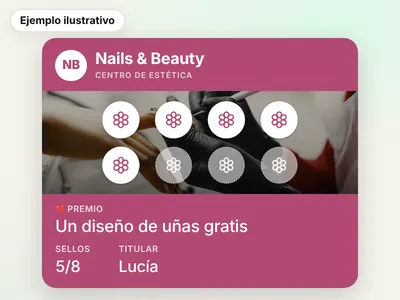
This is how it's usually set up in each type of business. These are illustrative examples (made-up businesses): adjust the stamps and the reward to your average ticket and how often your customer comes back.
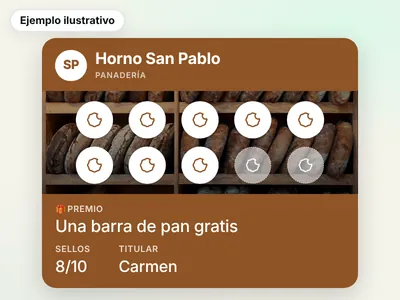
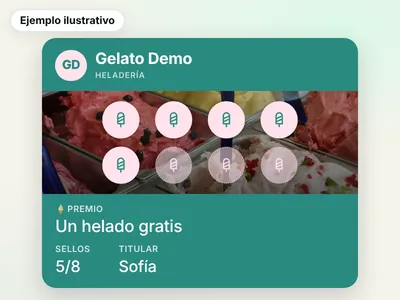
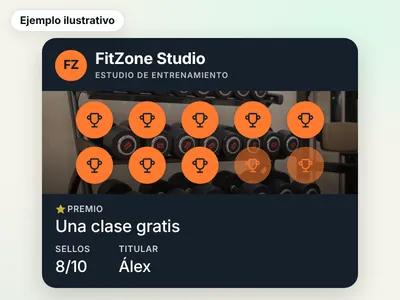
What you need to get started
A phone, tablet or computer with internet at the venue to add stamps, and a QR code printed on the counter. That's it: no special card terminals, no readers, and your customers don't download any app. To get started you don't need to connect anything to your POS: Rondafy works separately, so you don't have to change anything at your till. (The Pro plan includes the POS connection so stamps are added at checkout; ask us whether your till is compatible.)
With Rondafy you can have your card ready the same day. Every plan includes the card in Apple Wallet and Google Wallet, QR sign-up, stamping and reward redemption, and unlimited customers.
How to get your customers to save the card
The card only works if people save it. What works best at the counter:
- Put the QR code where people pay, at eye level. Rondafy gives you posters with your QR code, ready to print.
- Mention it at checkout, in one sentence: "Shall I put the stamp card on your phone? Just scan here and you've got your first stamp."
- Give the first stamp on that same purchase, so they see it works.
- Turn on "scratch & win" at sign-up if you want an extra push: the customer can win an extra stamp, a discount or a product on their next visit.
- Share it on your social media and your Google profile too, with the sign-up link.
How to move from a paper card to a digital one
There's no need to throw away the paper cards on day one. A smooth transition:
- Honour the stamps they already have: keep accepting the paper card until it's complete, or until a date you announce well in advance.
- From a set day, new stamps go on the phone: when someone brings the paper card, offer them the digital card.
- Keep the same reward and the same number of stamps at first, so nobody feels they're losing out.
- Keep a few paper cards for people who don't use a smartphone. They're few, but they exist.
We explain it step by step in an alternative to the paper stamp card.
Common mistakes when launching a stamp card
- Too many stamps for the reward: if it takes months to arrive, the customer forgets. See how many stamps to use.
- A reward nobody wants, or one that costs you too much. Ideas in reward ideas.
- Not mentioning it at the till: a QR code on its own, with nobody pointing it out, gets few sign-ups.
- Stamping some times and not others: the whole team should scan at every sale.
- Not looking at the data: after two or three weeks, check how many customers have signed up and how many come back.
- Asking for too much data: the longer the sign-up, the fewer people join. With Rondafy the customer doesn't have to give a name, email or phone number.
If over time you want to reward your best customers more, you can add a points card with VIP tiers (Pro plan).
Is a digital stamp card free? What it costs
It depends on what you mean by free. With Rondafy, it works like this:
- Designing your card is free and you don't need to create an account. You do it in design your card and get a test card in your Wallet.
- Trying Rondafy for 14 days is free, with no commitment. When you sign up you enter your bank card and nothing is charged until the 14 days are up.
- Using it with your customers has a price: Standard €24.99/month or €249.90/year; Pro €39.99/month or €399.90/year. Prices exclude VAT (21% is added in Spain). Each extra location is €10/month, on both plans.
- We don't have a permanent free plan.
| Plan | Monthly | Yearly | What it adds |
|---|---|---|---|
| Standard | €24.99 | €249.90 | Every card type in Wallet, messages, statistics and up to 3 staff members per location |
| Pro | €39.99 | €399.90 | The same, plus VIP tiers, POS connection, unlimited staff and up to 3 businesses in the same account |
Prices exclude VAT (21% is added in Spain). 14-day free trial on both plans and no commitment.
If what you need is a no-cost option, there are tools with a limited free plan (for example BonusQR, FaveCard or Loyapp). We compare them, with prices and terms checked on 29 October 2026, in best loyalty apps for businesses in Spain (in Spanish). Details of our plans are in plans and pricing.
When it isn't the best option
A digital stamp card runs on phones and the internet: to stamp, the phone or tablet in your shop needs a connection. If your customers are mostly elderly or rarely come back, paper may still make sense for a while (we cover this in the comparison).
If your ticket varies enormously from one purchase to the next, you might prefer points. And if your thing is selling packs in advance, the prepaid pass card is a better fit.