Design your digital loyalty card
Answer a few questions, pick a colour, upload your logo and write your reward. In one minute you'll see how your card would look on your customers' phones, in Apple Wallet or Google Wallet. Designing it is free.
Answer a few questions, pick a colour, upload your logo and write your reward. In one minute you'll see how your card would look on your customers' phones, in Apple Wallet or Google Wallet. Designing it is free.
Designing your card costs nothing and you don't need to create an account or choose a password. You can try colours, logo, reward and number of stamps as many times as you like and see how it looks.
At the end we ask for your name, email and mobile number to send you a test card you can save in your Apple Wallet or Google Wallet and see exactly as your customers will. It's only a test: it can't be stamped. If you tick the box, we'll get in touch to help you get started, and you can ask us to stop whenever you like.
What does cost money is using the card with your customers: Standard €24.99/month or Pro €39.99/month, excluding VAT, with a 14-day free trial and no commitment. It's all in plans and pricing.
Your business name, your logo, the colours, the reward and the number of stamps. You can add a background photo behind the stamps and use your logo or your own icon as the stamp. Once it's created you can change the reward and design whenever you like.
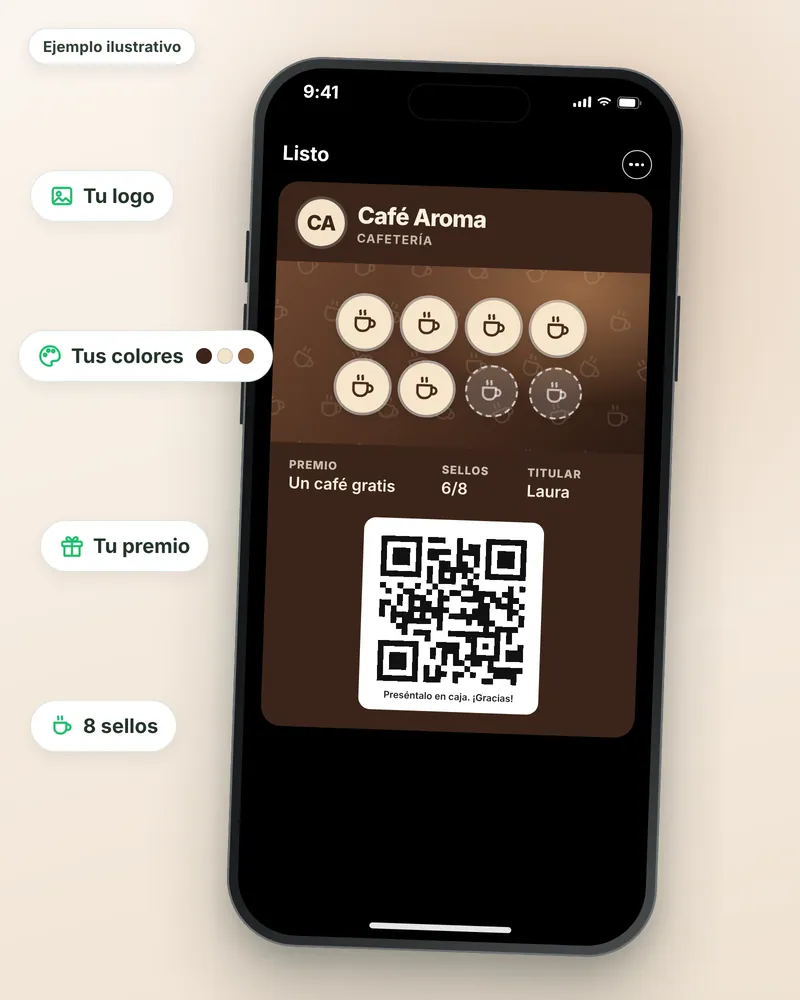
There are seven questions and they take a minute. The first three shape your card:
The other four help us advise you and don't change the design: what you want to achieve (more repeat visits, higher spend, payment in advance, more reviews or winning customers back), how many locations you have, your role in the business and when you want it up and running.
These four were made with the same tool for made-up businesses, so you can see how far the design goes:
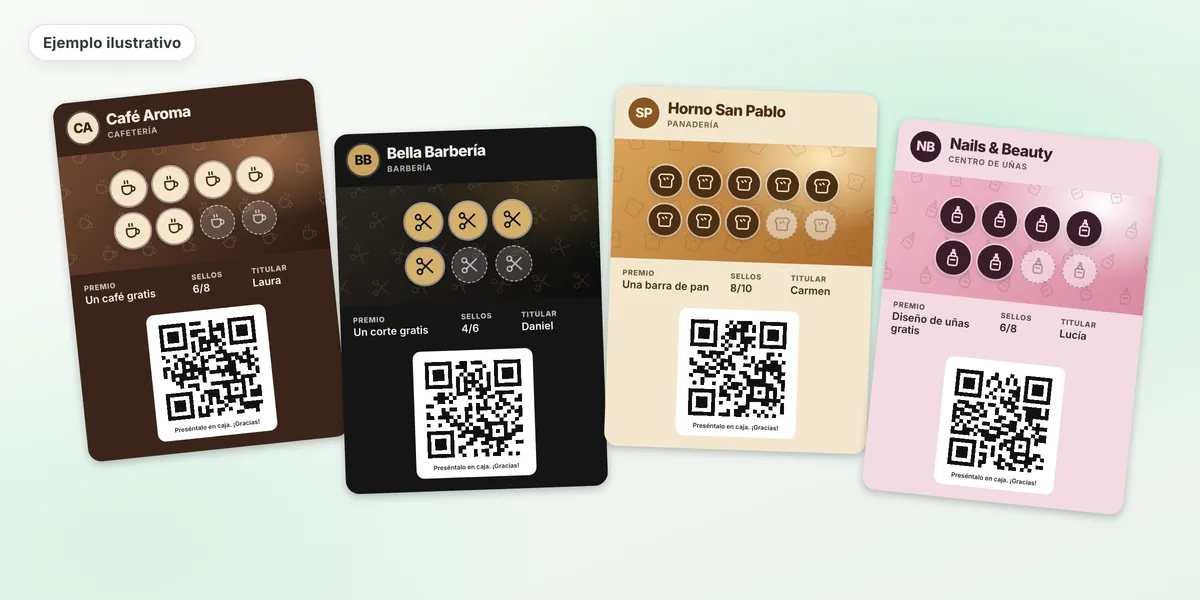
More reward and stamp-count ideas in loyalty card examples and in how many stamps your card should have.
Once you're happy with the card, all that's left is to create your account and put the QR code on your counter. Your customers save it by scanning the QR code and you start stamping. You have 14 days to try it for free, with no commitment. If you'd rather we showed you, book a demo.
No, designing it is free. To use it with your customers you need a plan: Standard €24.99/month + VAT or Pro €39.99/month + VAT, with a 14-day free trial.
Yes, from the dashboard. The card your customers have already saved updates automatically.
No. They save the card in Apple Wallet or Google Wallet by scanning a QR code.
No. You can design it without an account or password. At the end we ask for your name, email and mobile number to send a test card to your Wallet.
Yes. At the end you get a test card that's saved in Apple Wallet (iPhone) or Google Wallet (Android). It shows you how your customers will see it, but it can't be stamped.
PNG, JPG, WebP or SVG, up to 5 MB. If you don't have a logo to hand, you can choose a sample one with your initials.
In the tool, 6, 8, 10 or 12. Later you can change the number of stamps and the reward from the dashboard.