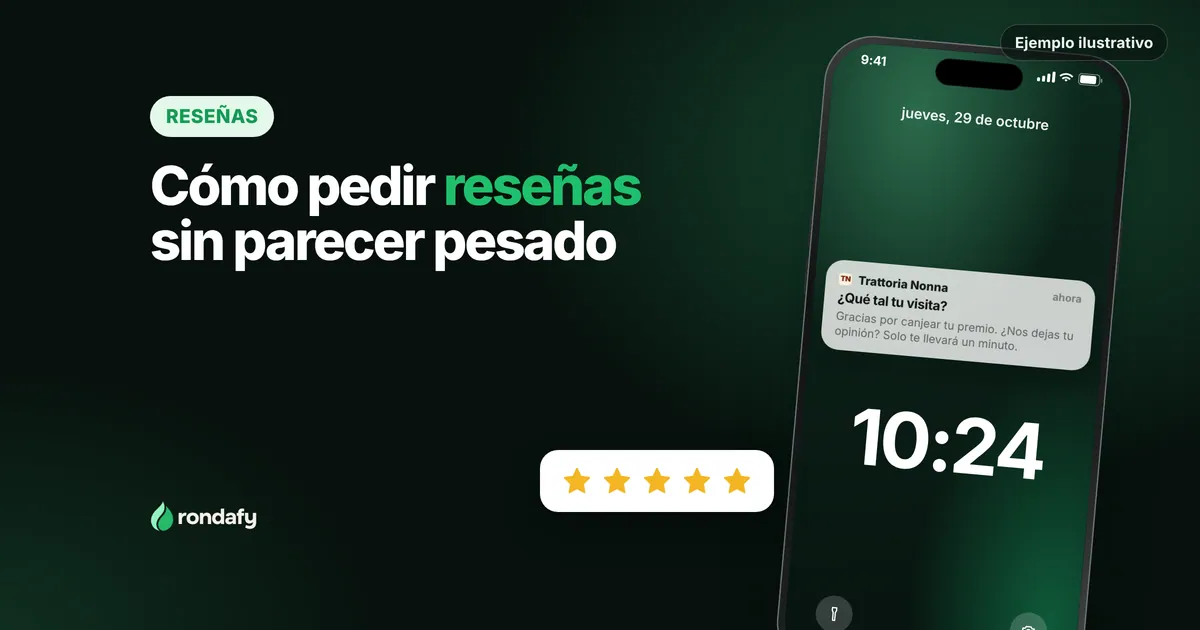
Short answer: ask for the review right after a good experience, only once and with the shortest possible path: a poster with a QR code on the counter or a link on WhatsApp. Don't offer anything in return (Google prohibits it), and don't only ask the customers you know are happy.
Before walking into a bar, a barbershop or a beauty salon, lots of people check its Google stars. Even so, hardly any owner enjoys asking for reviews: it feels pushy, it's hard to find the right moment, and at peak time you forget.
This guide gives you a simple method for asking naturally, with lines you can copy and what not to do if you don't want Google to penalise you.
First, get your Google profile in order
To receive reviews you need your Google Business Profile (the one that shows up on the map and in search) claimed and verified. Check that the opening hours, address, phone number and category are right, and upload a few good photos of the premises. It's the first thing someone sees before deciding whether to come in, and it's where the reviews will land.
When to ask
The best moment is when the customer has just had a good experience and it's still fresh:
- When they thank you or pay you a compliment. It's the clearest signal. Reply: "I'm so glad. Would you mind saying so on Google? It really helps us."
- At the end of a service that went well: a haircut they liked, a treatment the client was happy with.
- When they redeem a loyalty card reward. They're happy and already a regular, exactly the person best placed to review your business.
- When you're their usual place. A customer who's been coming for months usually appreciates being asked.
Avoid asking at peak time with a queue out the door, or asking someone who has just had a problem you haven't solved yet. Fix the problem first and then, if appropriate, ask for their opinion.
Make it easy: link and QR code
The fewer steps, the more reviews. Google lets you share a direct link or a QR code that opens the review window on your profile.
According to its official help (checked on 29 October 2026), you'll find it in your Business Profile, under "Read reviews" and then "Get more reviews". Note: Google says the QR code can only be generated from a desktop browser, not from a phone.
Where to put that link or QR code:
- A sign on the counter or the table, with a short line ("Enjoyed it? Tell Google") and the QR code.
- The receipt, if you hand one out.
- A thank-you message on WhatsApp or by email to customers you already have a relationship with, including the link.
- Your email signature and your website.
What to say: three lines that don't sound like a sales pitch
What matters is that it sounds like you. Some examples you can adapt:
- Bar or restaurant: "So glad you enjoyed it. If you feel like it, a Google review helps more people find us. There's a QR code on the table. Thank you!"
- Barbershop: "Glad you like how it turned out. If you remember, leave me a Google review; for a small business like ours it makes a huge difference."
- Beauty salon: "Thanks for trusting us. If you're happy with it, we'd love it if you shared it on Google. I'll send you the link on WhatsApp."
They work for three reasons: they say thank you, they ask for one thing only and they explain what it's for.
What not to do
This is where businesses get into trouble.
- Don't give anything in exchange for a review. According to Google's help pages, offering free or discounted products or services in exchange for a review counts as fake engagement and is strictly prohibited. Specialist outlets explain that the penalty can range from blocking your profile from receiving new reviews for a while to hiding the ones it already has or showing a public warning (PinMeTo, June 2026). Asking for a review is allowed; paying for one isn't.
- Don't give a stamp, a point or a coffee for writing a review. It's the same mistake in a different disguise. The loyalty card rewards customers for coming back, not for giving their opinion.
- Don't only ask the customers you know are happy. It's a trick that shows: reviews should reflect genuine experiences, which is what Google asks for. Ask everyone equally and you'll learn from what people say.
- Don't keep asking. Once is enough. If the customer doesn't leave one, that's fine.
- Don't buy reviews or ask for bad ones to be removed in exchange for something. Besides being prohibited, it's one of the things that gets spotted fastest.
How to reply, including to the bad ones
Reply to all of them, with your name and in a couple of lines. To the good ones, with a specific thank-you ("Glad you liked the cortado and Marta's service").
To the bad ones, don't get defensive or argue: thank them for sharing, apologise if there's a reason to, explain in one sentence what you'll do and offer to talk privately by phone. Remember that reply isn't just read by the reviewer: it's read by whoever is deciding whether to come.
How it fits with your loyalty card
A loyalty card gives you something a Google profile doesn't: an ongoing relationship with your regulars. They're the people who know your business best and are most willing to share their opinion.
Rondafy includes review requests, so you can ask for them from the same place where you already look after the customer relationship, always without tying them to any reward. To see how the card works, see the digital stamp card and, for the full picture, the customer loyalty programme guide.
A two-minute routine
Once a week: open your profile, read the new reviews, reply to them and note what keeps coming up (a recurring complaint about waiting times, praise for someone on the team). It's free information about your business. To see how it applies by type of business, there's the list of industries.
Frequently asked questions
How many reviews do I need for them to count?
There's no magic number. What helps is a steady flow with real content: ten recent, detailed reviews beat a sudden avalanche.
Can I give something in exchange for a review?
No. Google considers offering products, services or discounts in exchange for reviews to be fake engagement. You can ask and say thank you, but you can't pay for it.
Can I ask for reviews on WhatsApp?
Yes. Google's own help pages mention sending the link by email or WhatsApp. Only do it with customers you already have a relationship with, once and without pushing.
Sources (checked on 29 October 2026)
- Google Business Profile Help, reviews and incentives: https://support.google.com/business/answer/16816815?hl=es
- PinMeTo, "Google incentivized reviews penalty" (26 June 2026): https://www.pinmeto.com/news/google-incentivized-reviews-penalty-2026/